Page 266 of 267
Re: What does your OS look like? (Screen Shots..)
Posted: Wed Apr 22, 2026 1:56 am
by klange
That initial implementation felt a bit boring, so I polished it up:

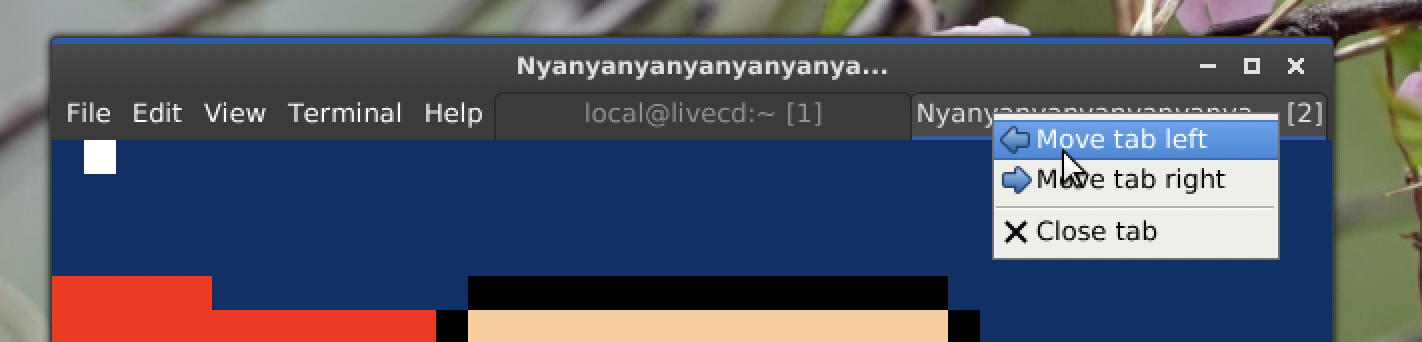
Tabs now span the available space and have a design that better matches with the rest of the window decorations. They also show the title of the terminal, alongside the shortcut number. The title is normally centered in the tab, but if it's too long it will be right-aligned as that's where I expect the more important differentiating information to be (eg., the end of a file name or path, and the shortcut number).
Also, a context menu:
Re: What does your OS look like? (Screen Shots..)
Posted: Wed Apr 22, 2026 6:54 am
by brain
very nice. can you drag tabs too?
Re: What does your OS look like? (Screen Shots..)
Posted: Wed Apr 22, 2026 7:28 am
by klange
brain wrote: ↑Wed Apr 22, 2026 6:54 am
very nice. can you drag tabs too?
Going to need a few more days for that one!
The tabs are secretly a special case of menu bar entries. I already had the basic layout and click handling for those. You just prefix the display name for the menu entry with a tab character (or vertical tab character) and bam - it's a tab: it renders with the fancy background, and will trigger a callback instead of showing a dropdown menu when clicked.
Re: What does your OS look like? (Screen Shots..)
Posted: Wed Apr 22, 2026 8:59 am
by brain
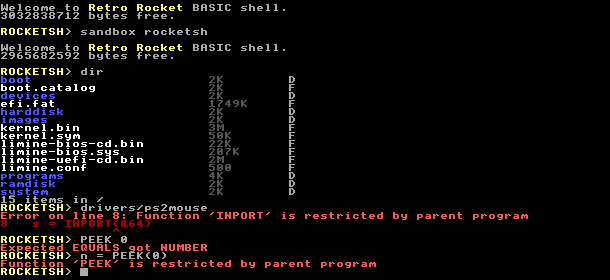
Decided to post some updates! Firstly, it is now possible to restrict which keywords a child program may not use. Each child program may only add to the list, it is kind of a `sudont` (reverse `sudo`) where each program drops privilege.
This is done by the RESTRICT and DERESTRICT keywords. You may only DERESTRICT keywords you restricted yourself. These are tied together into a shell builtin called `sandbox` which lets a user run a program which cannot perform any destructive action; filesystem becomes readonly, can't access memory, buffers, port I/O etc.
- image-1.png (8.65 KiB) Viewed 1897 times
But, saving the best till last... Been improving my TCP stack, adding TCP window scaling, support for honouring peer MSS, fst retransmit, and surfacing error codes up to BASIC. What better way to test this, than connecting to #osdev on irc.libera.chat?
Or, if the irc program isn't right... perhaps we can just edit it.
Re: What does your OS look like? (Screen Shots..)
Posted: Sun May 10, 2026 1:59 pm
by Dennisbonke
Over a year already since my last post, but we haven't been sitting still!
Managarm is capable of running Weston, Sway and kmscon for quite a while now, and while Sway is a fine WM, I've always held the opinion that a proper DE is needed. So we set out to port one. It has been a long and sometimes bumpy road, and it still has some rough edges, but we managed to run KDE Plasma 6 on Managarm a week ago. Of course, to celebrate it, we had to fire up Konversation (KDE's IRC client) and connect to #osdev to brag about it

.
The work isn't fully done yet, there's some work that hasn't landed into upstream yet for Managarm, mlibc and bootstrap-managarm (where our ports and patches live) and there's a few things here and there that we like to fix before calling it a job well done, but we are very happy with where we are right now. Short term we aren't planning to make KDE the default, as that needs more testing, but the SDDM greeter that was needed for this is going to make its way to the default image soon, after some small bugfixing. This should also allow us to no longer run weston as root, massively improving security.
Of course, no update post without an image to go with it, so here is KDE Plasma 6 with Konversation connecting to #osdev.

Re: What does your OS look like? (Screen Shots..)
Posted: Sun May 10, 2026 10:46 pm
by brain
can't view it, Imgur is blocked in the UK

Re: What does your OS look like? (Screen Shots..)
Posted: Sun May 10, 2026 10:54 pm
by Dennisbonke
Oh that sucks. I completely missed that. Does this work for you?

Re: What does your OS look like? (Screen Shots..)
Posted: Sun May 10, 2026 11:34 pm
by brain
yup and it looks amazing

Re: What does your OS look like? (Screen Shots..)
Posted: Thu May 14, 2026 7:45 pm
by klange
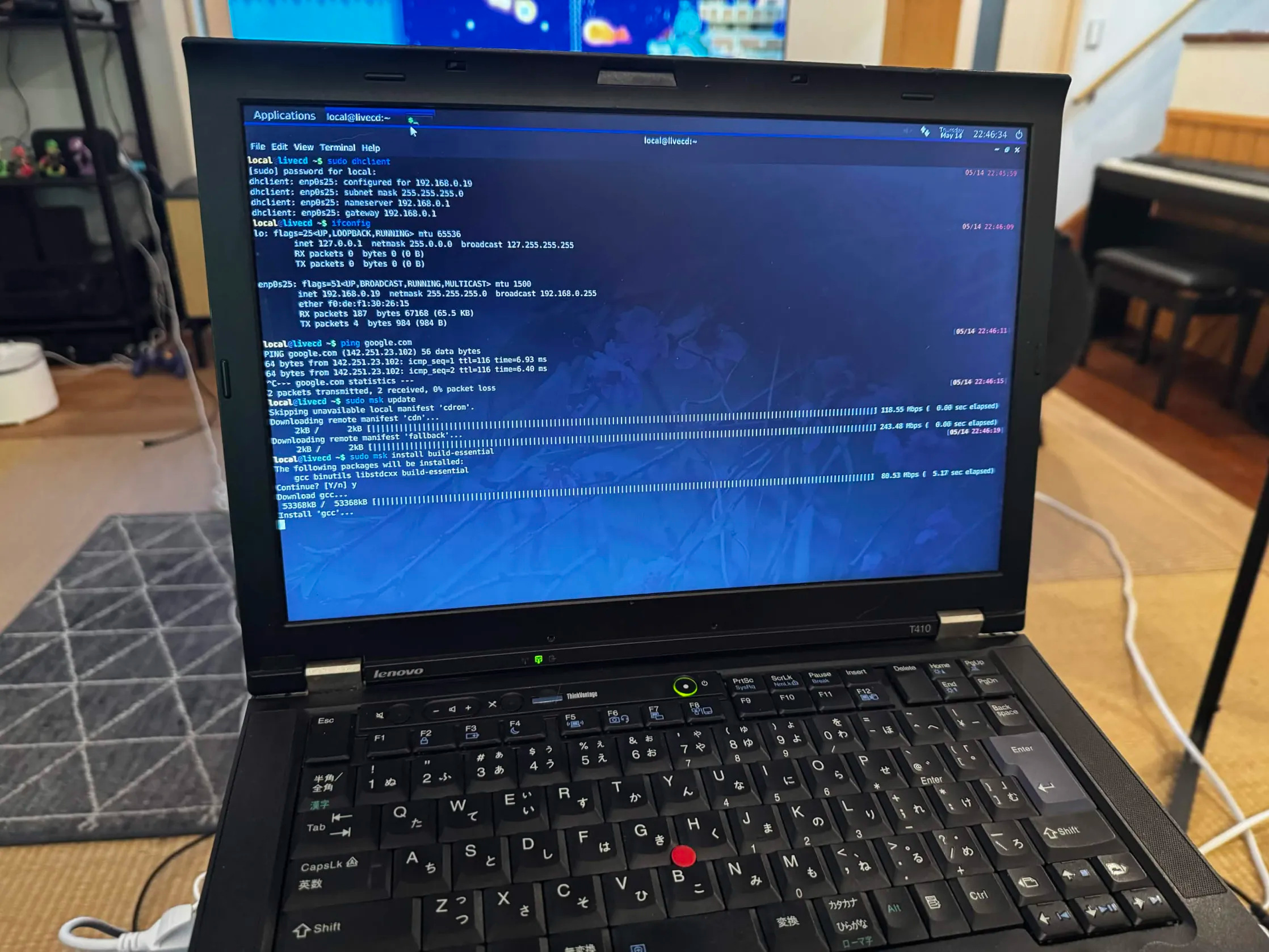
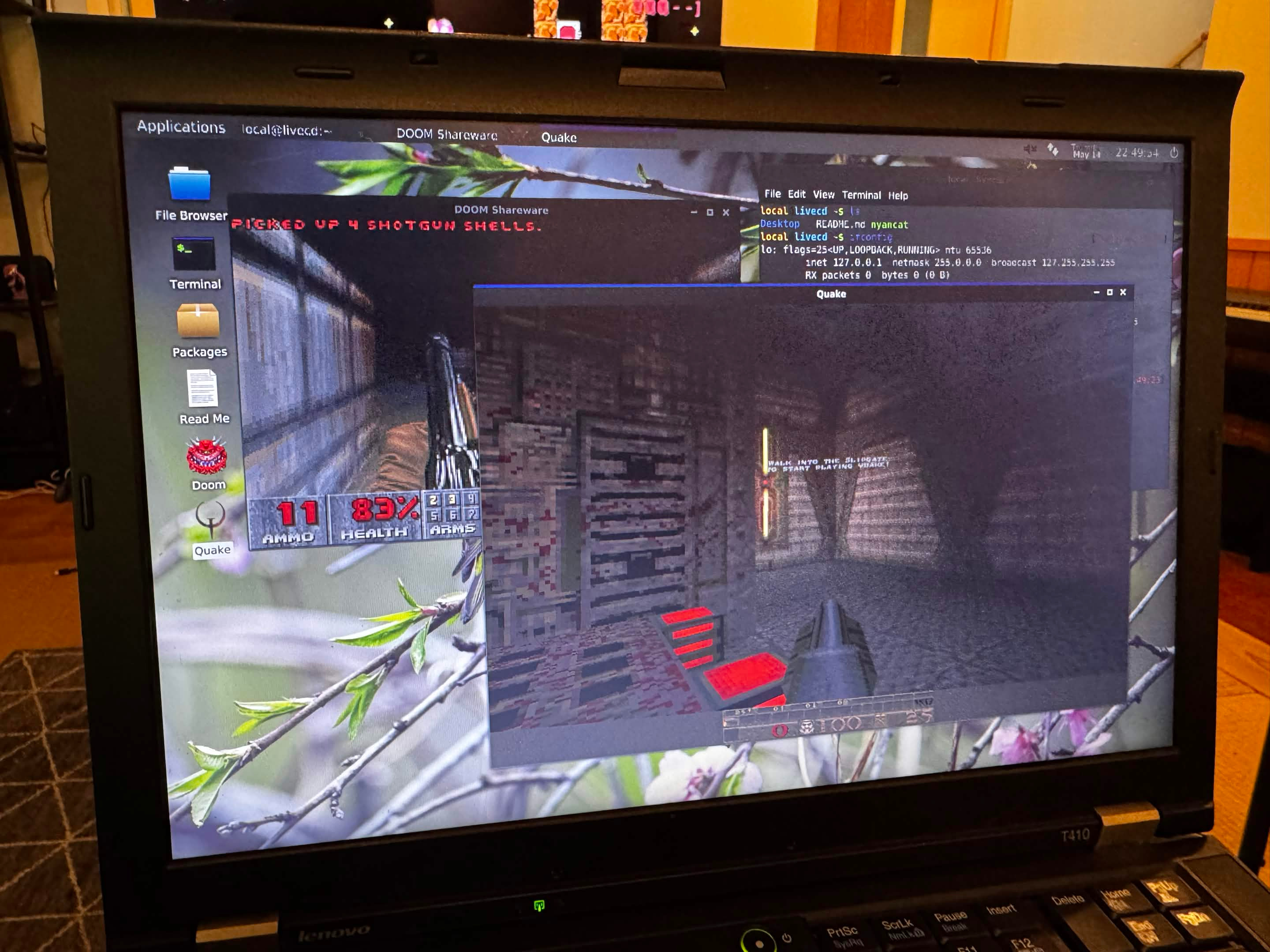
This panel really doesn't photograph well, but whatever. Here's ToaruOS running natively on my trusty old ThinkPad T410:
Re: What does your OS look like? (Screen Shots..)
Posted: Tue May 26, 2026 12:21 pm
by TimothyARyazanov
Got the system to work.
By the way, this OS was written purely using AI (Deepseek has been used this time).
Planning on training the AI to produce better code (I've been bashing my head in because of the constant errors before this).
Pretty much a simple command-line interface at this moment.
The screenshot was made within PCBox, a fork of 86Box
Re: What does your OS look like? (Screen Shots..)
Posted: Thu May 28, 2026 3:14 pm
by Kamal123
The last time I was active on the OSDEV forum was in 2021-22.
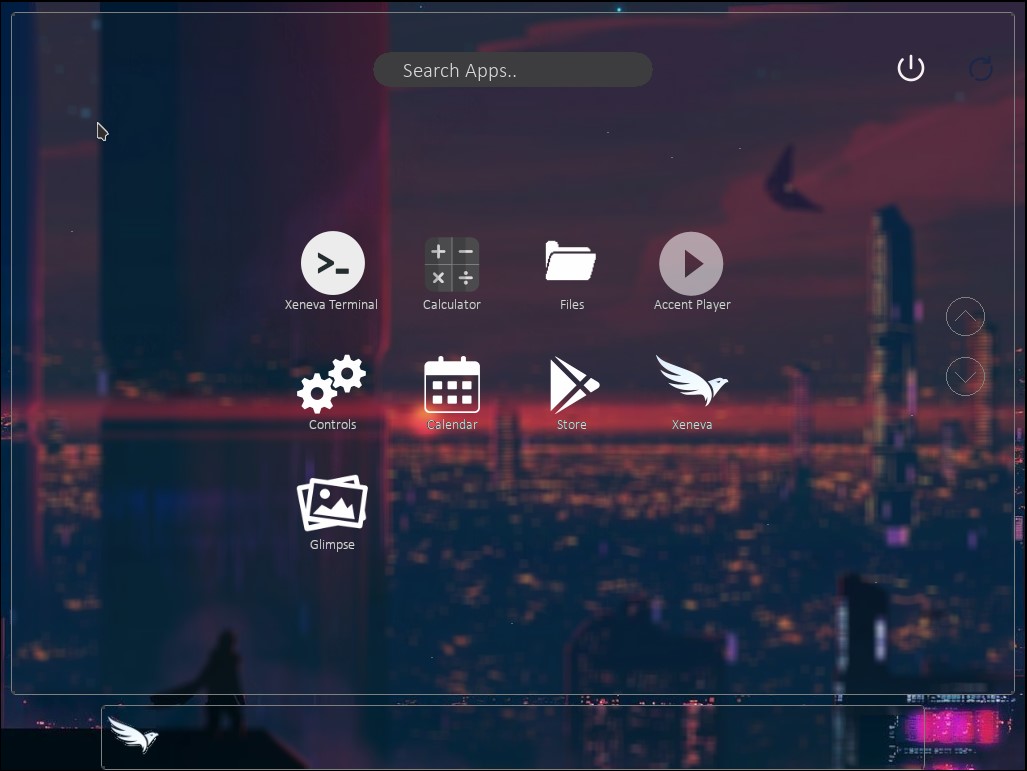
Since then, XenevaOS has undergone a lot of development.
I'm proud to say that the project now supports multiple architectures: x86_64 and ARM64, with support for RISC-V happening in parallel.
On top of that, the ARM version of the OS runs on bare metal as well (I've tested it on a Raspberry Pi and an NXP i.MX 8M+).
Here’s a screenshot of XenevaOS running on a QEMU virtual board for ARM64:
github :
https://github.com/manaskamal/XenevaOS
Re: What does your OS look like? (Screen Shots..)
Posted: Fri May 29, 2026 1:24 pm
by TimothyARyazanov
Kamal123 wrote: ↑Thu May 28, 2026 3:14 pm
The last time I was active on the OSDEV forum was in 2021-22.
Since then, XenevaOS has undergone a lot of development.
I'm proud to say that the project now supports multiple architectures: x86_64 and ARM64, with support for RISC-V happening in parallel.
On top of that, the ARM version of the OS runs on bare metal as well (I've tested it on a Raspberry Pi and an NXP i.MX 8M+).
Here’s a screenshot of XenevaOS running on a QEMU virtual board for ARM64:
github :
https://github.com/manaskamal/XenevaOS
Looks amazing. Keep up the hard work!
Re: What does your OS look like? (Screen Shots..)
Posted: Fri May 29, 2026 2:30 pm
by TimothyARyazanov
Echo finally works! (updated Stage 2 to read 8 sectors for it to work).
This is AIOS, a proof of concept operating system.
Basically, it's proof that AI is able to write an operating system bit by bit. Deepseek has been used this time.
written by someone who doesn't actually know osdev but is too bored and curious lol
Re: What does your OS look like? (Screen Shots..)
Posted: Thu Jun 11, 2026 8:10 pm
by AndrewAPrice
A port of NetSurf running, and some other native programs.
NetSurf uses a custom frontend, so the title bar, input field, scroll bars, etc are native UI components. The actual webpage is NetSurf 's renderer. The native UI library is drawn using Skia. The kernel is a microkernel.
NetSurf is ok. It seemed like the easiest graphical browser to port but it lacks ES6 so a lot of websites refuse to load.
Re: What does your OS look like? (Screen Shots..)
Posted: Sat Jun 13, 2026 9:55 pm
by AndrewAPrice
I built a UI debugger. Still a work in progress.
The mystery "←" in the window header is actually a debug button. (The icon was originally 'minimize' but there was nothing to minimize to.) It asks the program to serialize the UI hierarchy, and if a node does any drawing, to draw into it's own image and encode it as base64.
Then my UI Debugger is fed the serialized UI hierarchy as an argument, and shows it as a tree view where I can inspect the layout properties.
